
Lotus365 Deposit—UPI, PhonePe, Paytm, and Bank Transfer
Making a deposit on Lotus365 generally involves selecting an available payment method, entering the amount you want to add, completing the transaction through your chosen payment provider, and then checking the payment status in your Lotus365 account.
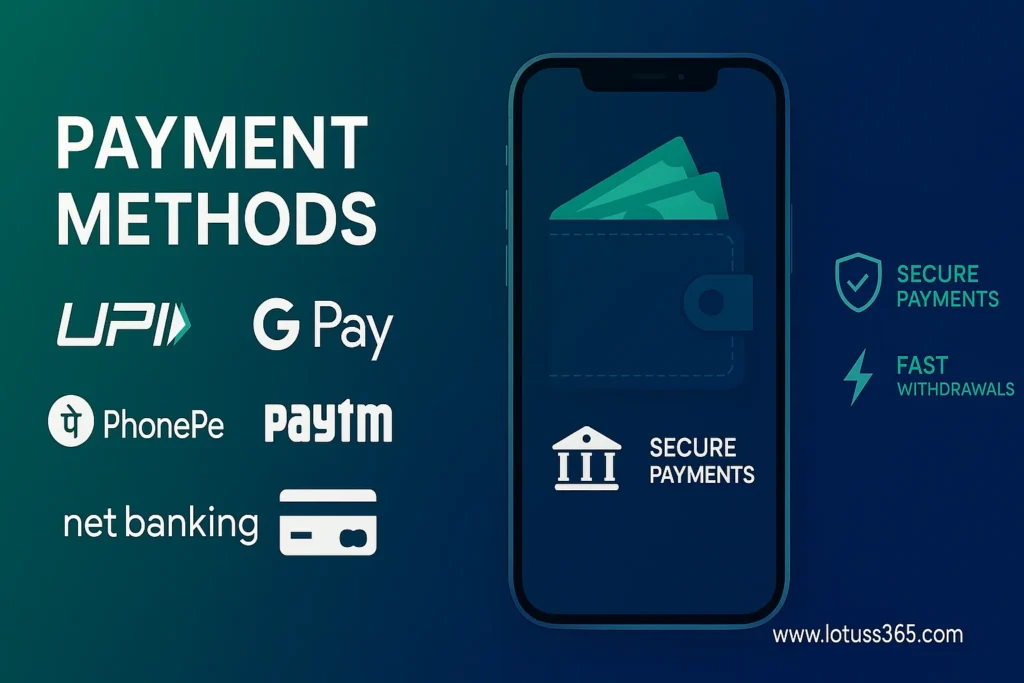
For Indian users, commonly listed options include UPI, PhonePe, Paytm, bank transfer, net banking, and IMPS. The exact payment methods, limits, and processing times can vary depending on the payment gateway and the options currently displayed in your account.
This guide explains how the different Lotus365 deposit methods work, how to complete a payment, what to do when a deposit is pending or does not appear in your balance, and which precautions to take before making a transaction.
Quick Overview
Lotus365 provides multiple payment options for users who want to add funds to their account. UPI-based payments are generally the most convenient for smaller deposits because they can be completed through familiar Indian payment apps.
Bank transfer and net banking can be useful when a larger amount is being transferred or when UPI is temporarily unavailable.
Before making any payment, always check the current deposit page in your Lotus365 account. Payment methods, minimum and maximum amounts, processing times, and availability can change.
Lotus365 Deposit at a Glance
| Deposit Method | Minimum Deposit* | Maximum Deposit* | Typical Processing Time* |
|---|---|---|---|
| UPI (GPay, PhonePe, Paytm) | ₹100 | ₹50,000 | Instant |
| E-Wallets (Paytm Wallet) | ₹100 | ₹50,000 | Instant |
| Credit/Debit Card | ₹200 | ₹75,000 | 1–5 minutes |
| Bank Transfer (Net Banking) | ₹500 | ₹1,00,000 | 1–2 hours |
| IMPS | ₹100 | ₹50,000 | 5–15 minutes |
| Cryptocurrency | Varies | ₹5,000,000 | 10–30 minutes |
*The limits and processing times above are based on the researched payment information for this guide and should be checked against the payment options and limits displayed in your Lotus365 account before completing a transaction.
Lotus365 Deposit Methods
The most useful deposit method depends on the amount you want to add, the payment apps available to you, and how quickly you need the balance to be credited.
UPI
UPI is one of the most convenient payment methods for Indian users. Depending on the payment gateway, you may be able to use services such as Google Pay, PhonePe, or Paytm.
A UPI payment normally involves selecting UPI, entering the required amount, generating a payment request, and approving the transaction in your UPI application.
UPI is particularly convenient when you want to make a relatively small or medium-sized deposit without using traditional net banking.
PhonePe
PhonePe can be used when it appears as an available payment option on the Lotus365 deposit screen.
The payment normally takes place through the PhonePe application. After selecting PhonePe and entering the deposit amount, follow the payment request and approve the transaction inside the official PhonePe app.
Always verify the payment amount before entering your UPI PIN.
Paytm
Paytm may be available through either a Paytm-specific payment option or a UPI payment flow, depending on the payment gateway being used.
If Paytm is displayed on your Lotus365 deposit page, select it and follow the instructions shown on screen. Depending on the available option, the transaction may use your linked bank account through UPI or an available wallet balance.
Bank Transfer and Net Banking
Bank transfer can be useful when you prefer to make payments directly through your bank account.
Compared with UPI, bank transfers can take longer to reconcile because the payment may need additional processing or verification before the funds are reflected in your Lotus365 balance.
For larger transactions, always verify the beneficiary details and transaction amount before confirming the transfer.
IMPS
IMPS is an electronic bank transfer method that can be used for eligible transactions when it is presented as an available deposit option.
IMPS transactions are generally designed for faster bank transfers, although the time required for the Lotus365 balance to update can still depend on payment reconciliation.
Credit or Debit Card
If card payments are available in your account, you can select the card option and follow the payment gateway instructions.
Before confirming a card transaction, check whether your bank has any restrictions on the transaction and ensure that the payment page is the legitimate payment gateway displayed by the Lotus365 deposit interface.
Minimum Deposit Amounts and Limits
The minimum and maximum deposit amounts depend on the payment method.
Based on the researched information for this page, the commonly listed limits are
| Method | Minimum | Maximum | Processing |
|---|---|---|---|
| UPI | ₹100 | ₹50,000 | Instant |
| Paytm / E-Wallet | ₹100 | ₹50,000 | Instant |
| Credit/Debit Card | ₹200 | ₹75,000 | 1–5 minutes |
| Bank Transfer / Net Banking | ₹500 | ₹1,00,000 | 1–2 hours |
| IMPS | ₹100 | ₹50,000 | 5–15 minutes |
| Cryptocurrency | Varies | ₹5,000,000 | 10–30 minutes |
These figures should not be treated as permanent or universal limits. Payment limits can change according to the current gateway, account, banking provider, transaction rules, or Lotus365’s active payment configuration.
Before sending money, use the amount and payment details currently shown on your Lotus365 deposit screen.
How to Deposit on Lotus365 Using UPI
UPI is generally the simplest option for users who already have an active UPI-enabled bank account.
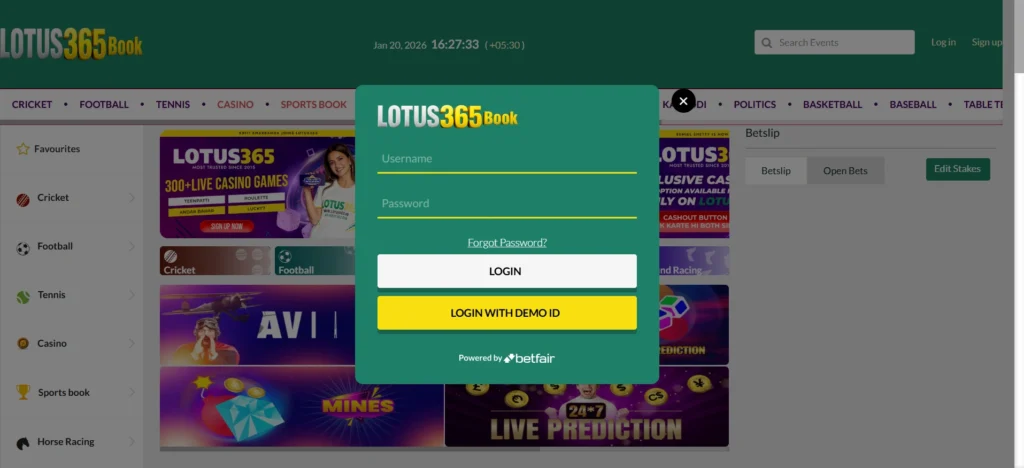
Step 1: Log In
Open the Lotus365 website or app and sign in using your account credentials.
Make sure you are using the correct account before starting a transaction.
Step 2: Open the Deposit Section
From the main account dashboard, select Deposit or the corresponding add-money option.
The available payment methods should appear on the deposit page.
Step 3: Select UPI
Choose UPI from the available payment methods.
Depending on the current payment gateway, the interface may ask for a UPI ID, generate a payment request, display a QR code, or provide another payment instruction.
Step 4: Enter the Deposit Amount
Enter the amount you want to deposit.
If the minimum displayed amount is ₹100, make sure the amount entered meets that requirement.
Always review the amount before proceeding.
Step 5: Provide Your UPI Details
If the payment page requests a UPI ID, enter your correct UPI ID in the required format.
For example:
yourname@bank
Do not enter someone else’s UPI ID unless the payment flow specifically requires a different verified account.
Step 6: Initiate the Payment
Select Proceed or the equivalent button to generate the payment request.
Follow only the payment instructions displayed through the active payment flow.
Step 7: Confirm the Payment in Your UPI App
Open your UPI application if it does not launch automatically.
You may be asked to approve the payment using your UPI PIN.
Before confirming, carefully check:
- Payment amount
- Recipient or beneficiary information
- UPI ID
- Transaction details
Never share your UPI PIN with another person.
Step 8: Check the Lotus365 Transaction Status
After completing the payment, return to your Lotus365 account.
Check your balance and deposit history to determine whether the transaction has been credited.
A successful payment in your banking application and a credited balance in Lotus365 are two separate confirmations. If your bank shows a completed transaction but your Lotus365 balance has not updated, retain the transaction reference and follow the pending-payment procedure.
UPI Deposit Tip
If your bank application does not open automatically after selecting UPI, do not immediately repeat the transaction.
First check whether:
- The payment request was generated.
- Your UPI application received the request.
- Your bank account shows a debit.
- Lotus365 shows the transaction as pending or processing.
This can help prevent accidental duplicate payments.
How to Deposit on Lotus365 Using PhonePe
If PhonePe is displayed as an available payment option, the general process is straightforward.
Step 1: Open Your Lotus365 Account
Log in to your Lotus365 account and navigate to the Deposit section.
Step 2: Select PhonePe
Choose PhonePe from the available payment methods.
If PhonePe is not displayed, do not use an unrelated payment link or manually send money to an unverified account. Use one of the payment methods currently provided through the deposit page.
Step 3: Enter the Amount
Enter the amount you want to deposit.
Check the minimum and maximum amount shown on the current payment screen.
Step 4: Generate the Payment Request
Select Proceed to generate the PhonePe payment request or payment instructions.
Step 5: Complete the Payment in PhonePe
Open the official PhonePe application and review the payment request.
Before confirming, verify the transaction details and then authorize the payment using the required authentication method.
Step 6: Return to Lotus365
Once payment is completed, return to Lotus365 and check the transaction status.
If the payment is successful but the account balance does not update immediately, avoid making another payment until you have checked the status of the first transaction.
How to Deposit on Lotus365 Using Paytm
Paytm can provide another convenient payment route when it is listed as an available method.
Step 1: Open the Deposit Page
Log in to Lotus365 and select Deposit.
Step 2: Choose Paytm
Select the Paytm payment option if it is currently available.
Step 3: Enter Your Amount
Enter the amount you want to add to your account.
Check the minimum amount displayed before continuing.
Step 4: Generate the Payment Request
Select Proceed to create the Paytm payment request.
Step 5: Approve the Transaction
Open Paytm and complete the payment according to the instructions shown.
Depending on the available payment flow, the transaction may use UPI or another supported Paytm payment method.
Step 6: Verify the Deposit
Return to Lotus365 and check your balance and deposit history.
If the payment is marked successful in Paytm but remains pending on Lotus365, keep the transaction reference until the balance is updated or the transaction is resolved.
How to Deposit on Lotus365 Using Bank Transfer
Bank transfer can be useful when UPI or wallet-based payments are unavailable or when you need to transfer a larger amount within the applicable limit.
Step 1: Open Deposit
Log in to your Lotus365 account and navigate to the Deposit section.
Step 2: Select Bank Transfer or Net Banking
Choose the bank-transfer or net-banking option shown on your account.
Step 3: Enter the Deposit Amount
Enter the amount you want to transfer.
The researched information lists ₹500 as the minimum for bank transfer, but always follow the current minimum displayed in your account.
Step 4: Review Bank Details
If Lotus365 provides beneficiary or bank-transfer details, carefully verify every field before initiating the transfer.
Check:
- Account name
- Account number
- IFSC
- Bank name
- Transfer amount
- Any reference or transaction instructions
Never rely on old bank details saved from a previous transaction if the current deposit page provides updated information.
Step 5: Complete the Bank Transfer
Use your bank’s official net-banking or banking application to complete the transfer.
Do not share your banking password, OTP, ATM PIN, or UPI PIN with anyone.
Step 6: Keep the Transaction Reference
After completing the transfer, save the transaction confirmation and reference number.
A UTR or bank transaction reference can be particularly useful if the payment needs to be traced.
Step 7: Wait for Account Credit
Bank transfers may take longer than UPI payments to appear in the account.
The researched processing estimate is approximately 1–2 hours, but actual processing can vary.
Check the deposit history before attempting another transfer.
How Long Does a Lotus365 Deposit Take?
The processing time depends on the payment method.
| Payment Method | Typical Time |
|---|---|
| UPI | Instant |
| Paytm / E-Wallet | Instant |
| Credit/Debit Card | 1–5 minutes |
| IMPS | 5–15 minutes |
| Bank Transfer / Net Banking | 1–2 hours |
| Cryptocurrency | 10–30 minutes |
These are typical estimates rather than guaranteed credit times.
A payment can take longer when there is a payment-gateway delay, bank-side processing, network interruption, verification requirement, or reconciliation issue.
Lotus365 Deposit Not Showing
One of the most common payment problems is a situation where money appears to have left the user’s bank account but the Lotus365 balance has not been updated.
The first step is not to make another payment immediately.
Instead, determine the status of the original transaction.
Transaction Failed
If your UPI, Paytm, PhonePe, card, or bank application shows that the payment failed:
- Check whether the amount was actually debited.
- Check the transaction history in your payment application.
- Check Lotus365 deposit history.
- Wait for any automatic reversal if the bank shows a failed debit.
- If necessary, create a new payment request.
If money was debited despite a failed transaction, retain the transaction reference before contacting the relevant payment support channel.
Payment Pending
A pending payment does not necessarily mean that the money has been permanently lost.
A payment may remain pending because the payment gateway or bank has not completed reconciliation.
If your payment is pending:
- Wait several minutes.
- Refresh the Lotus365 deposit history.
- Check the status in your UPI or banking application.
- Do not submit a second payment immediately.
- Keep the transaction ID or UTR.
Money Debited but Balance Not Updated
This situation requires extra care.
If your bank or UPI app shows Successful but your Lotus365 balance has not changed:
- Save the transaction ID.
- Save the UTR/reference number if available.
- Record the transaction amount.
- Note the date and approximate time.
- Check the Lotus365 deposit history.
- Allow reasonable processing time before retrying.
- Contact the appropriate support channel if the transaction remains unresolved.
Avoid sending the same amount repeatedly simply because the balance has not updated.
Bank App Did Not Open
Sometimes selecting a payment method does not automatically launch the expected banking or UPI application.
This does not automatically mean that the payment failed.
Check whether:
- A payment request was generated.
- Your UPI app contains a pending request.
- Your bank account was debited.
- Lotus365 shows a pending transaction.
If no transaction was created, return to the deposit page and generate a fresh payment request.
Wrong App Confirmation
If you selected one payment method but accidentally completed the payment through another application, first check whether money was actually debited.
Do not immediately repeat the payment.
Record the transaction details and check the status of the original payment before starting another transaction.
Lotus365 Deposit Troubleshooting Checklist
Before contacting support, check the following:
| Check | What to Verify |
|---|---|
| Amount | Confirm the amount you attempted to deposit |
| Payment App | Check whether the transaction is successful, pending, or failed |
| UPI ID | Confirm the correct UPI ID was used |
| Bank Account | Check whether your account was actually debited |
| Transaction ID | Save the payment reference |
| UTR | Keep the UTR available for bank transfers |
| Deposit History | Check the transaction status inside Lotus365 |
| Network | Confirm that the payment was not interrupted by connectivity problems |
| Duplicate Payment | Make sure you did not accidentally submit the same payment twice |
What Information Should You Keep After a Deposit?
Keeping transaction records can make payment-related troubleshooting much easier.
For every significant transaction, consider retaining:
- Deposit amount
- Date and time
- Payment method
- Transaction ID
- UTR/reference number
- Payment status
- Screenshot of the transaction confirmation
Do not store or share confidential authentication information such as your UPI PIN, banking password, card PIN, or OTP.
Transaction records are useful because they allow the payment provider or account support team to identify the specific payment without requiring you to repeat the transaction.
Lotus365 Deposit Safety and Security Tips
Payment security is just as important as transaction speed.
Use the Official Payment Flow
Always start the deposit from the payment section of your Lotus365 account.
Avoid payment links, QR codes, bank details, or UPI IDs sent through unofficial messages unless they can be independently verified through the legitimate account/payment interface.
Never Share Your UPI PIN
Your UPI PIN is used to authorize transactions.
A legitimate support representative should not need your UPI PIN.
Never share:
- UPI PIN
- ATM PIN
- Banking password
- Card PIN
- OTP
- Full card security credentials
Verify Before Paying
Before confirming a payment, check:
- Amount
- Recipient
- UPI ID or beneficiary
- Payment method
- Transaction details
A few seconds of verification can prevent an incorrect transfer.
Do Not Repeat a Payment Too Quickly
If a payment is pending, first investigate its status.
Making another payment before the first one has been resolved can create duplicate transactions.
Keep Transaction Records
Screenshots and transaction references can help establish what happened if a payment is delayed or disputed.
Lotus365 Deposit Bonuses and Promotional Offers
Some Lotus365 promotional information may advertise welcome bonuses, cashback, or other incentives connected with deposits.
The researched information for this page includes examples such as:
- 100% match bonuses up to ₹10,000 on an initial deposit of ₹100
- Weekend cashback offers
- Bonus funds associated with wagering requirements
Promotional terms can vary and should not be treated as guaranteed offers.
Before depositing specifically to claim a promotion, check the current terms associated with that offer.
Check Bonus Terms Before Depositing
Important conditions may include:
- Minimum qualifying deposit
- Maximum bonus amount
- Wagering requirements
- Eligible games or bets
- Maximum withdrawal restrictions
- Expiration period
- Eligibility requirements
- Payment-method restrictions
A deposit bonus is not the same as immediately withdrawable cash. Promotional funds can be subject to conditions that must be satisfied before withdrawal.
How to Choose the Best Lotus365 Deposit Method
There is no single payment method that is best for every user.
Choose UPI for Convenience
UPI can be suitable when:
- You want a quick transaction.
- You already use a UPI-enabled bank account.
- Your preferred UPI app is available.
- You want an easily traceable digital transaction.
Choose PhonePe if You Already Use PhonePe
PhonePe can be convenient for users who regularly manage UPI payments through the application.
The main advantage is familiarity with the payment flow and transaction history.
Choose Paytm for Paytm-Based Payments
Paytm can be useful if it appears as an available deposit method and you already use the Paytm ecosystem.
Always verify whether the payment is being processed through UPI or another payment method before confirming.
Choose Bank Transfer for Larger Transactions
Bank transfer may be more suitable for larger deposits within the applicable limits.
It can take longer than UPI, so it may not be the first choice when immediate account credit is the priority.
Choose IMPS When Available for Faster Bank Transfers
IMPS may provide a faster bank-transfer route, although actual account-credit time can still depend on reconciliation.
Can You Use Multiple Deposit Methods?
Yes, multiple payment methods may be available in the same Lotus365 account.
However, using one method per transaction makes it easier to track individual payments.
For example, if you make one UPI payment and one bank transfer at approximately the same time, it can become more difficult to determine which transaction corresponds to a pending balance update.
For better record keeping, complete one transaction and confirm its status before starting another whenever practical.
What to Do Before Making a Large Deposit
If you are planning to deposit a larger amount, take a few additional precautions.
Verify the Current Limit
Do not rely only on an old guide or previous transaction.
Check the current maximum amount displayed on the deposit page.
Confirm the Payment Details
For bank transfers, carefully compare the beneficiary details before authorizing the payment.
For UPI, verify the recipient and amount.
Test the Payment Method if Appropriate
If you are unfamiliar with a particular payment route, a smaller transaction can help you understand the payment flow before attempting a larger one.
Keep the Transaction Reference
For a larger payment, retaining the transaction reference is especially important.
Responsible Deposit Practices
Depositing money should be treated as a financial transaction rather than a way to recover losses.
Only use money you can afford to lose and avoid increasing your deposit amount simply because a previous bet or gaming session resulted in a loss.
Set a personal spending limit before participating and stop when you reach it.
If gambling or betting is becoming difficult to control, consider taking a break and seeking appropriate support.
Lotus365 Deposit FAQs
How do I deposit on Lotus365 using UPI?
Log in to your Lotus365 account, open the Deposit section, select UPI, enter the required amount, and follow the payment instructions shown on screen. Complete the authorization in your UPI application and then check the Lotus365 transaction status.
What is the minimum Lotus365 deposit?
The researched information for this guide lists ₹100 as the minimum for UPI and Paytm/e-wallet deposits. Bank transfer is listed at ₹500, while card deposits are listed at ₹200. Always check the current minimum shown in your Lotus365 account because payment limits can change.
Can I deposit on Lotus365 using PhonePe?
Yes, if PhonePe is displayed as an available payment method in your Lotus365 deposit section. Select PhonePe, enter the amount, generate the payment request, complete the transaction in PhonePe, and then verify the status in Lotus365.
Can I deposit on Lotus365 using Paytm?
If Paytm is available on the current deposit page, you can select it and follow the displayed payment instructions. Depending on the payment flow, the transaction may use Paytm UPI or another supported Paytm option.
How long does a Lotus365 UPI deposit take?
UPI deposits are generally designed for instant processing and may reflect within seconds or a few minutes. However, delays can occur because of payment-gateway, bank, network, or reconciliation issues.
What should I do if my Lotus365 deposit is pending?
First, check the payment status in your UPI, banking, PhonePe, or Paytm application. Then check your Lotus365 deposit history. If the payment was debited, keep the transaction ID or UTR and avoid making another payment until the original transaction is resolved.
What happens if money is deducted but my Lotus365 balance is not updated?
Do not immediately make another deposit. Check whether the payment is successful or pending, save the transaction reference, and check your Lotus365 deposit history. If the balance remains unchanged after the relevant processing period, use the appropriate support channel with your transaction details.
Can I use Google Pay for a Lotus365 deposit?
Google Pay may be usable when the Lotus365 payment gateway provides UPI as an available method. If UPI is offered, follow the current payment instructions and complete the transaction through your supported UPI application.
Are Lotus365 deposits free?
The researched information indicates that Lotus365 typically does not charge a separate deposit fee, but fees or restrictions may be imposed by a bank, card issuer, payment provider, or payment gateway. Check the final amount shown before authorizing the transaction.
Can I deposit using bank transfer?
Yes, bank transfer or net banking may be available as a deposit method. The researched information lists ₹500 as the minimum and up to ₹1,00,000 as the maximum, with an estimated processing time of 1–2 hours. Verify the current limits before transferring funds.
Can I deposit different amounts using different payment methods?
Yes, if multiple payment methods are available in your account. Each method may have its own minimum and maximum limits, so check the specific payment option before starting the transaction.
Quick Reference: Lotus365 Deposit Methods
| Requirement | Recommended Method |
|---|---|
| Fast deposit | UPI |
| Familiar UPI payment | PhonePe |
| Paytm user | Paytm |
| Larger bank-based deposit | Bank Transfer |
| Faster bank-transfer option | IMPS |
| Card payment | Credit/Debit Card |
| Deposit troubleshooting | Check payment status + transaction reference |
Final Takeaway
Lotus365 provides several ways to add funds, with UPI-based payments generally offering the quickest and simplest experience for Indian users. PhonePe and Paytm can be convenient when they are presented as available payment options, while bank transfer and IMPS can provide alternative routes for users who prefer bank-based payments.
The most important step is to check the payment options, limits, and instructions displayed in your current Lotus365 account before making a deposit. Payment gateways and transaction limits can change, and the information shown during the live payment process should take priority over older instructions.
If a payment does not immediately appear in your balance, avoid making duplicate payments. Check the transaction status, retain your payment reference or UTR, and allow the relevant processing time before escalating the issue.